GitHub updates for your Mac
Stop babysitting your PRs.
Get notified when your PR is approved, a check fails, or someone needs your review. Get back to coding.
No card needed to try. Your trial starts when you connect GitHub.
Finder
 Tue 9:41
Inbox
GitHub
macOS 12 Monterey or later · Apple silicon & Intel Open source
02 / Menu Bar AppA quick glance.
A quick glance.
A clear next move.
Click the armchair to see your PRs, review states, and CI results in a compact panel.
- Check your own PRs or relevant team work.
- See what is approved, waiting, or needs a fix.
- Close the panel and return to what you were doing.
Need more context?
Use Dashboard to open the desktop overview preview below.

03 / Desktop AppGet the context.
Get the context.
Know what to do next.
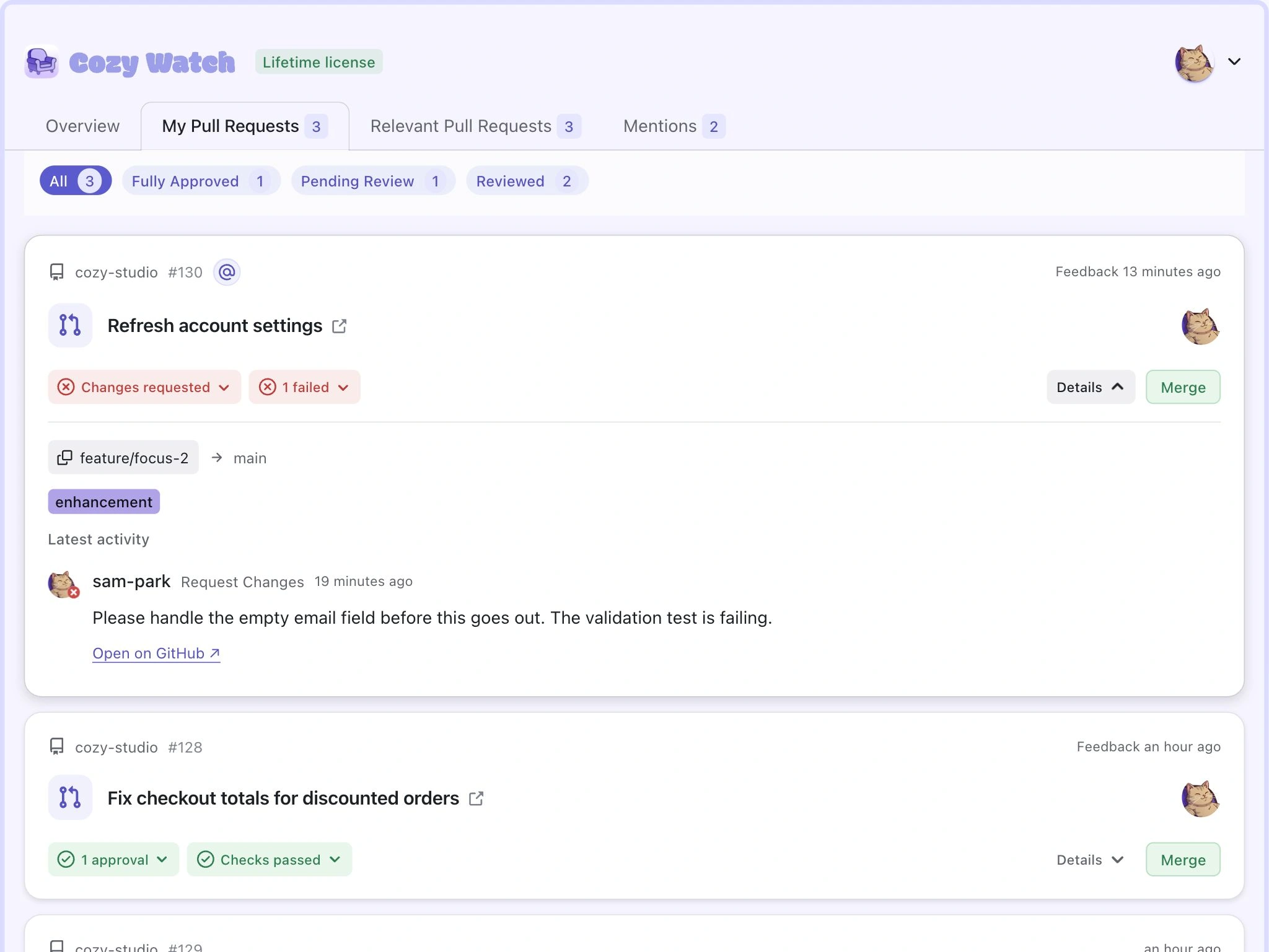
These are screenshots of the desktop app, with sample data. The notification tells you something changed. The menu bar gives you a quick look. Open the desktop app to read feedback, find mentions, and catch up on activity in one place.
Read the requested change alongside its branch, labels, and latest review. Know what to fix before you open GitHub.
One app. Three ways to stay on top of your work.
Get notified. Take a glance. Open the detail when you need it.
Explore all 9 product screenshots
Built for focused work.
Cozy Watch is open source, private by default, and built for your macOS desktop. Inspect exactly how it works whenever you want.Pay once. Stay in flow.
One purchase for your personal projects and your work. Every desktop feature included.Founding price
Lifetime desktop license
$29once
Planned regular price: $49. No subscription or renewal.One person, on 2 Macs
Personal and commercial use
Every desktop feature
All future desktop updates
Saved lifetime activation works offline
Deactivate a Mac to move your license
A few things to know.
Can I use it for work?
Yes. The same license covers personal and commercial use for one person on 2 Macs.
What does lifetime include?
Every desktop feature and all future desktop updates, with no subscription or renewal. Future hosted services would be separate purchases.
When does my trial start?
Your 14-day trial starts after your first successful GitHub connection. Every feature is included.
What happens when the trial ends?
Monitoring and GitHub notifications pause until you activate a license. Your accounts, preferences, and cached data stay in place.
Can I move my license to another Mac?
Yes. Deactivate the old Mac from Settings → License, then activate your license on the new one.
Does it work offline?
Activate your license online first. A valid saved lifetime activation keeps working offline and during temporary licensing-service outages. Fetching new GitHub activity needs an internet connection.
Is Cozy Watch still open source?
Yes. Source code and build instructions are available on GitHub. You can build the community version yourself, or buy the ready-to-install official app.
Shipping improvements, in the open.
Cozy Watch keeps getting better, so your workflow does too.
Pull Request Improvements and Notifications Screen
This release introduces better pull request handling with merge controls and deduplication, an enhanced notifications screen for managing alerts, new appearance customization with accent colors, and refined app navigation and settings UI.
- Use deduplication to avoid showing duplicate pull requests across views.Feature
- Add pull request merge controls to manage merges directly from the app.Feature
- Introduce a new notifications screen for viewing, reading, and managing notification history.Feature
- Add persisted accent color selector allowing users to personalize app accent colors.Feature
Powered by ReleaseView
As seen on Uneed
See what the community thinks of Cozy Watch.
Stay in the loop.
Occasional Cozy Watch updates, releases, and improvements. No GitHub noise, no spam.Spend less time checking GitHub.Download