
How to Get GitHub Pull Request Notifications on macOS
If you want GitHub pull request alerts on your Mac, you can receive GitHub email through a mail app with notifications enabled, or use a dedicated desktop app. Cozy Watch adds PR alerts, a menu bar view, and a desktop view of reviews and CI results. We build it, so this guide explains where it fits alongside GitHub's own options.
Choose where you want updates to arrive
If you already work from email, start in GitHub's notification settings. Enable email for the activity you follow, then check your mail app's notification settings. This keeps updates in an inbox you already use, though you'll still open the conversation to check the PR's current state.
For phone alerts, GitHub Mobile supports push notifications for events including direct mentions and review requests. GitHub lists its delivery options in the notification setup guide. If you want to check review and CI status from your Mac's menu bar, that is where a desktop app like Cozy Watch can help.
Get PR updates with Cozy Watch
- Download Cozy Watch for macOS and open the app.
- Connect your GitHub account using the authorization flow shown in the app.
- In Cozy Watch's notification settings, choose the review, mention, and CI alerts you want.
- Allow notifications for Cozy Watch in macOS System Settings.
Start with the events you would interrupt your work for. If failed checks need an immediate fix but other updates can wait, set your preferences accordingly. You can check the menu bar or notification history when you have time to catch up.
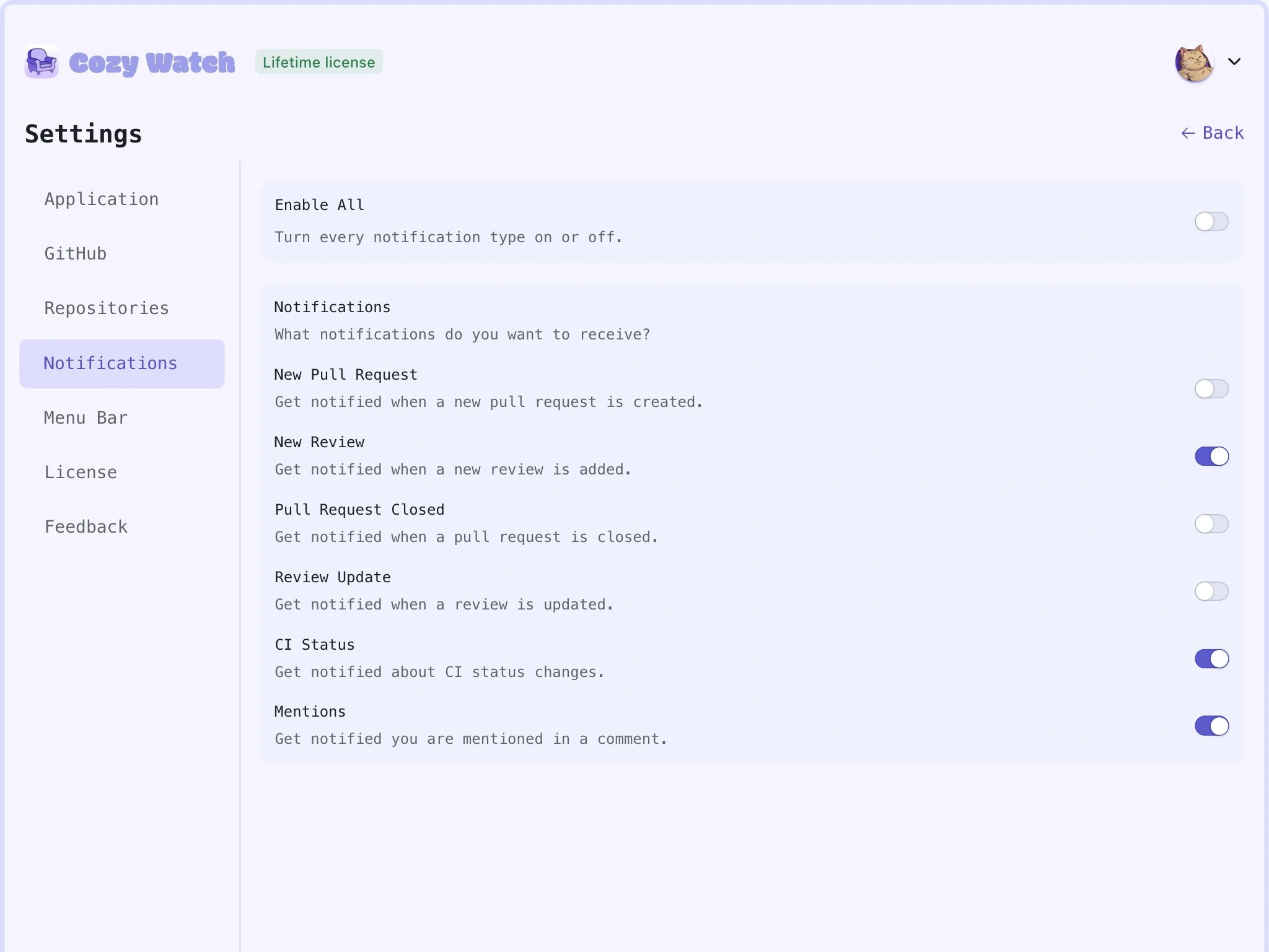
Cozy Watch's notification settings. Screenshot uses sample data.
No banner showing? Check macOS settings
Open System Settings → Notifications and find Cozy Watch. Make sure Allow notifications is on and select a notification style. If a Focus is active, check whether it allows notifications from the app. Apple explains app notification settings and Focus settings separately.
Also check that the event type is enabled inside Cozy Watch. Allowing macOS banners won't turn on an alert you disabled in the app. If the PR itself is missing, check your GitHub connection and whether the connected account can access that repository.
Do I need a separate app?
Use GitHub's web inbox if checking it a few times a day works for you. Use email if you want a searchable record alongside other work messages. Try Cozy Watch if you want PR status close by while you code, with review feedback and CI results in one place. The Mac app has a 14-day trial, so you can try it with your own repositories.
Too many alerts already? Reduce your GitHub notification noise first. If you just need a list of pending reviews, these GitHub searches work without installing anything.